
Instagram Account Setup
To use ShadowDM, your Instagram account must be set as a **Professional** or **Creator** account.
Requirement
Instagram's official API only works with Professional (Business/Creator) accounts. Personal accounts are not supported.
Step 1: Switch to Professional Account
1
Open your Instagram app on your mobile device.
2
Go to your Profile and tap the menu (three lines) in the top right.
3
Tap 'Settings and privacy'.
4
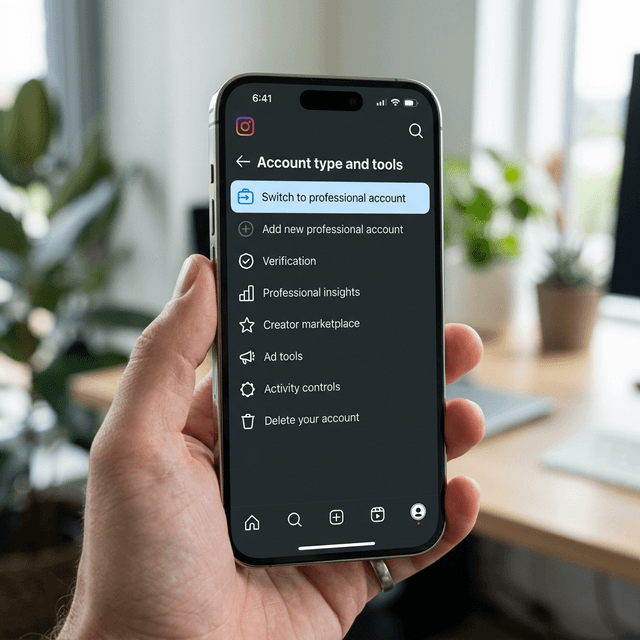
Scroll down to 'Account type and tools'.
5
Tap 'Switch to professional account'.
6
Choose a category and select either 'Business' or 'Creator'.
Done with setup?
Now you're ready to connect your account to ShadowDM.
Connect your account