
Scheduling Content
Plan your content strategy and automate your publishing schedule with ShadowDM.
Scheduling Posts & Reels
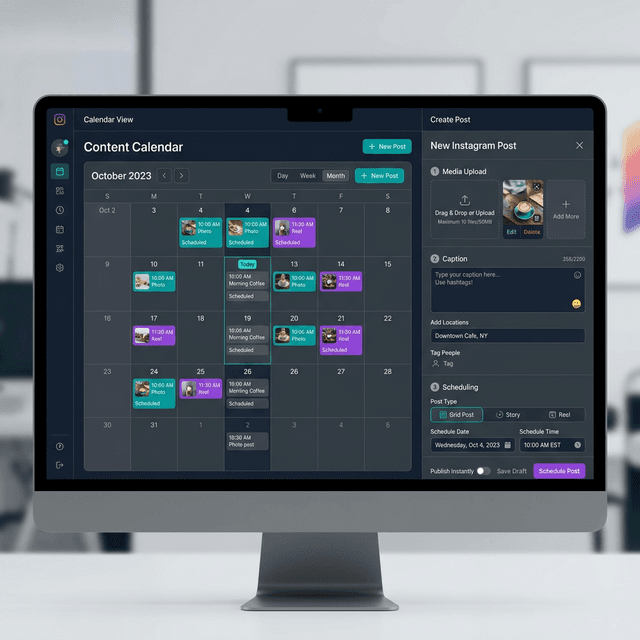
1. Go to theSchedulertab in your dashboard.
2. Click'Create New Post'.
3. Upload your media (Images or MP4 for Reels).
4. Add your caption, hashtags, and location.
5. Choose'Schedule'and select your desired date and time.
6. Click'Post'and you're all set! We'll publish it for you.
Grid Planner
Visualize how your feed will look before you post. Rearrange scheduled items to maintain a perfect aesthetic.
Auto-Publishing
Our API-based system publishes your content automatically. No phone notifications or manual work required.
Video Requirements
Reels must be under 60 seconds and use a 9:16 aspect ratio for the best performance.